MOT History Check UK – MOT Check, Status & History Online

Checking MOT history is one of the safest ways to understand a vehicle’s condition in the UK. An MOT history online check — often done through an MOT check app — can reveal previous failures, recurring advisories, mileage patterns, and expiry dates. This is useful for owners preparing for an upcoming test and buyers assessing a used car.
MOT Check and Vehicle History in the UK
A MOT check allows UK drivers to view a vehicle’s MOT history, including test results, recorded mileage, and pass or fail status. Reviewing MOT history before buying a car helps identify recurring faults and long-term maintenance issues.
- What is MOT history?
- How to check MOT history online
- What MOT history shows (and what it doesn’t)
- How to read advisories and failures
- Red flags before you buy
- MOT status vs MOT history
- MOT check apps: what to look for
- Using history to assess risk (carefully)
- Download a PDF report (example)
- Frequently asked questions
What is MOT history in the UK?
MOT UK history is the recorded timeline of a vehicle’s MOT tests. A proper MOT check shows pass or fail results, advisory notes, test dates, and recorded mileage at each test. The most useful insight is the pattern over time (for example, repeated advisories that later become failures).
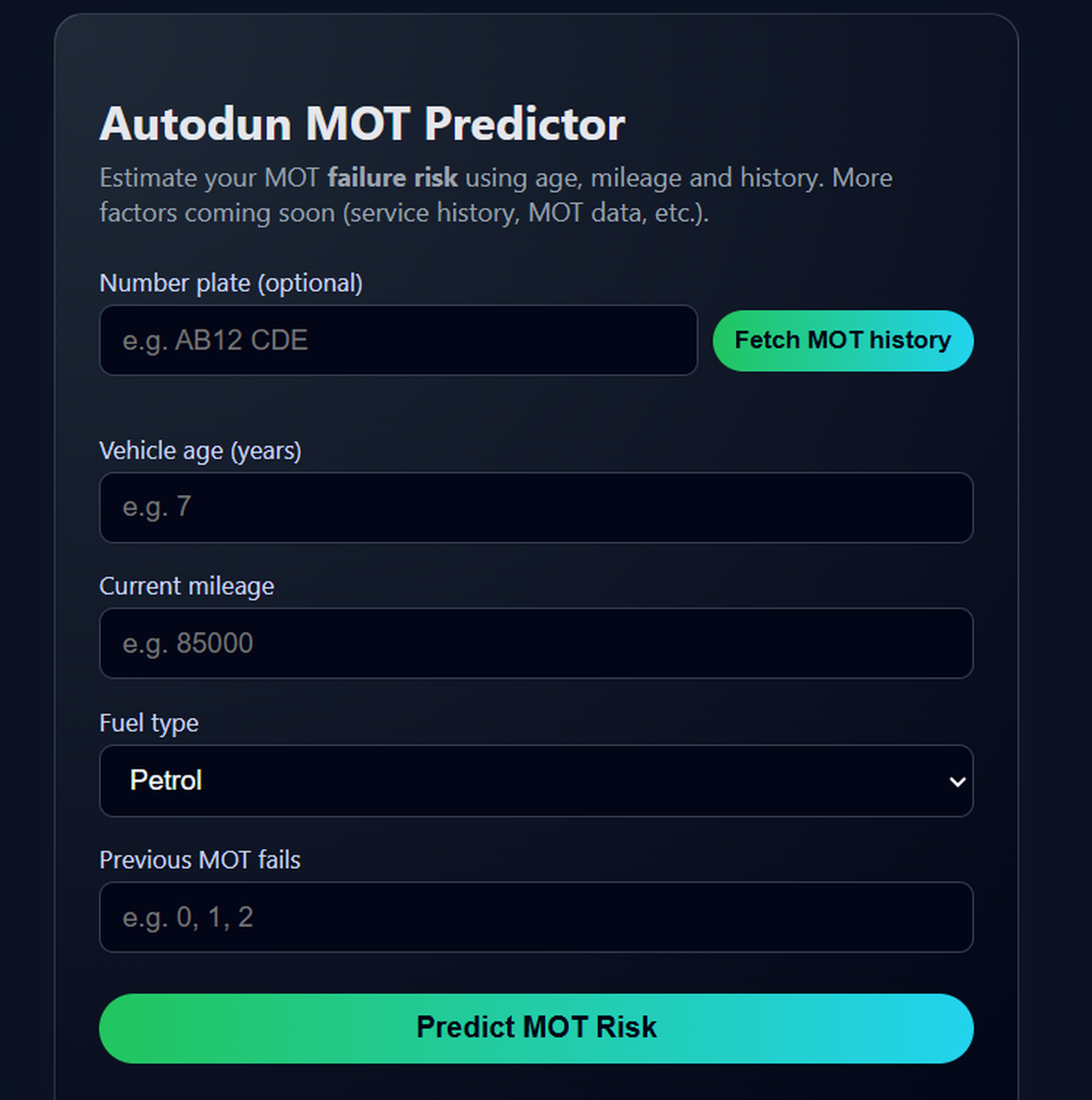
How to check MOT history online
- Enter the vehicle registration (number plate).
- Select Fetch MOT history (or “MOT history check”).
- Review expiry date, last mileage, and previous fails.
- Open the advisory/failure detail and compare results year-by-year.
If you also want to confirm the vehicle is currently legal to drive, use the same tool to check MOT status and expiry.
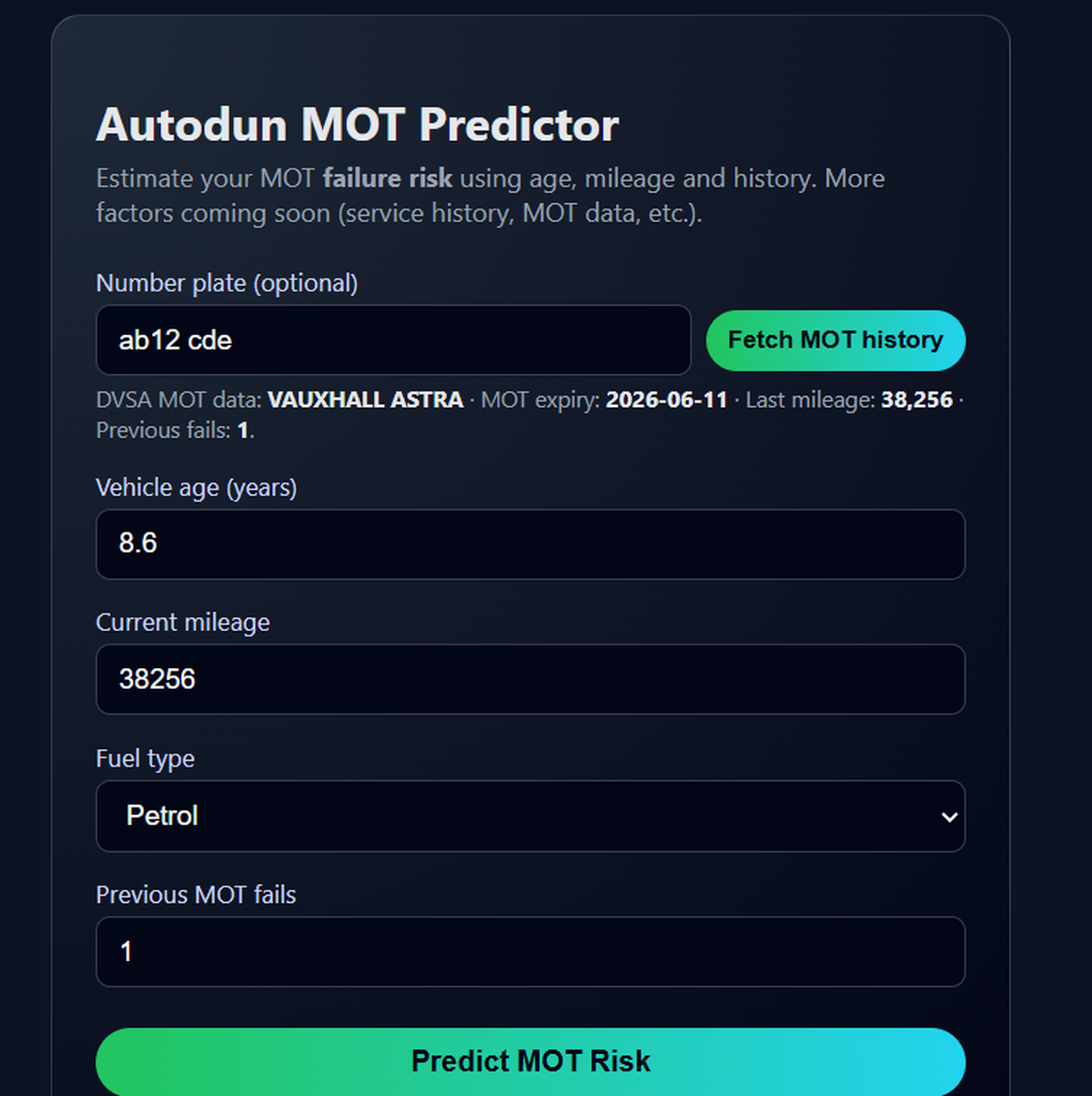
What MOT history shows (and what it doesn’t)
A typical MOT history check record can show:
- MOT pass/fail outcomes
- Advisories (items to monitor)
- Mileage recorded at the time of each test
- MOT expiry / timeline indicators
It does not usually confirm:
- Whether repairs were completed (verify with receipts/service history)
- Accident history, finance, or ownership history (separate checks)
- Current condition between tests (issues can appear any time)
How to read advisories and failures properly
Advisories are not automatic failures, but they matter. A single advisory may be normal wear. Repeated advisories for the same area can indicate unresolved maintenance.
If you want a deeper explanation of what advisories mean (and which ones to take seriously), read: MOT Advisories Explained UK.
- Look for repeats: tyres, brakes, suspension, emissions, lights.
- Check escalation: a recurring advisory that becomes a failure later.
- Compare mileage: consistent year-to-year progression matters.
Red flags to watch for when buying used
Be cautious if you see:
- Multiple failures for the same component area (e.g., brakes/emissions)
- Large mileage jumps or long gaps with no records
- Repeated advisories with no improvement year-on-year
- A sudden “clean” result after years of repeats without evidence of work
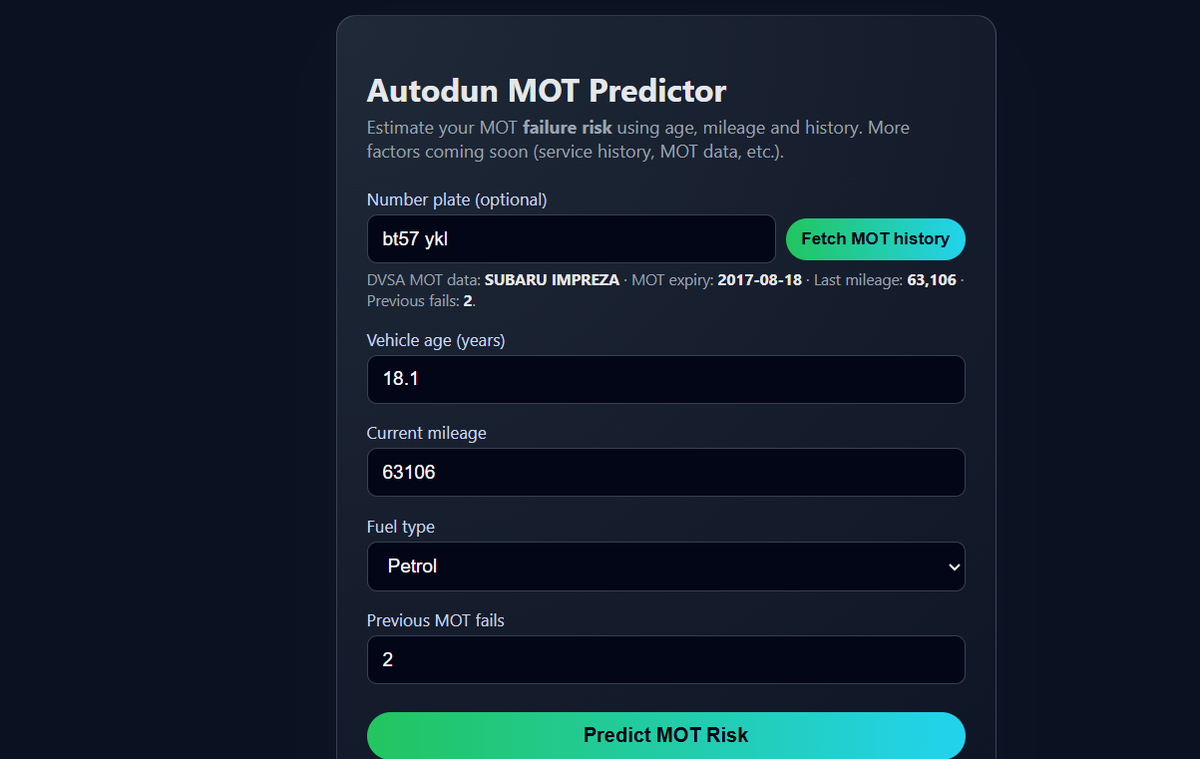
MOT history vs MOT status
MOT status tells you whether the vehicle currently has a valid MOT (and the expiry date). MOT history shows how the vehicle has performed over time — advisories, failures, and patterns.
MOT check apps: what to look for
Many users search for an MOT check app because it’s fast. The best apps/tools make it easy to:
- See expiry and last recorded mileage at a glance
- Open advisories/failures in a readable timeline
- Spot repeat categories (brakes, tyres, suspension, emissions)
- Export or save a summary for your records
If you prefer a simple web flow (no install), you can use: Autodun MOT check tool →
Using MOT history to assess risk (carefully)
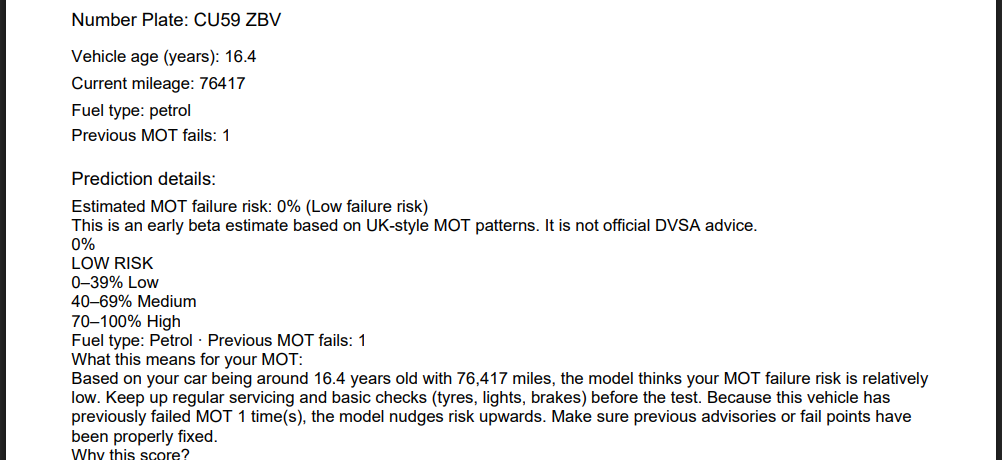
MOT history becomes more useful when combined with vehicle age, mileage, and prior failures. Autodun includes an early-stage estimate that helps drivers plan maintenance — but it is not official guidance.
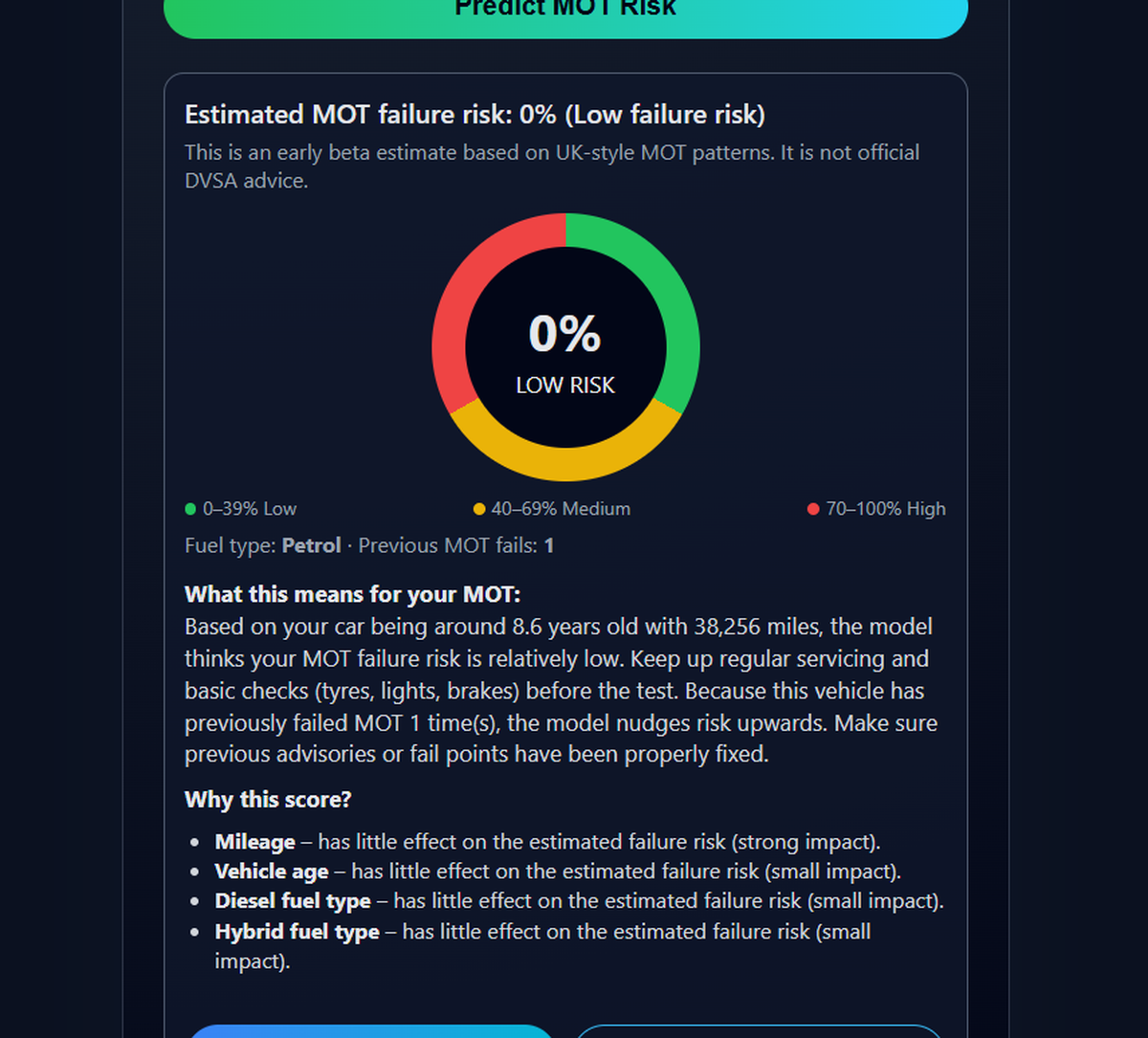
Download a PDF report (example)
If you want to keep a record, Autodun can generate a simple PDF summary of your MOT risk check. This is useful for your own notes — it is not an official DVSA document.
Frequently asked questions
Is MOT history the same as MOT status?
No. MOT status shows whether a vehicle is currently road legal, while MOT history shows past test results, advisories and failures over time.
Can I check MOT expiry date online?
Yes. MOT expiry date is included when you check MOT history online.
What are common MOT failure reasons?
Common MOT failures include tyres, brakes, suspension, lights and emissions issues. Repeated advisories often become future failures if not repaired.
Is it illegal to drive without an MOT in the UK?
Yes, in most cases. Driving without a valid MOT is illegal unless you are travelling to a pre-booked MOT test.
Why does mileage look wrong on MOT history?
Mileage differences can happen due to data entry errors, instrument replacement, or unusual usage patterns. Large inconsistencies should be investigated.
Should I use an MOT check app or website?
Both are acceptable. MOT check apps and websites show the same public MOT history data, but may display it differently.
What is included in a MOT advisories check?
MOT advisories highlight non-critical issues identified during a MOT test, such as worn tyres or minor suspension wear, which may require attention in the future.
Can I check past MOT records in the UK?
Yes. Past MOT records for UK vehicles can be checked using the registration number to view previous test results, advisories, and mileage history.
Official MOT records are published by the UK government: DVSA MOT history service.
Internal links: Autodun Blog · MOT Advisories Explained UK · Electric Car Charger Map UK · UK councils & EV data gaps · Autodun MOT Predictor · Autodun EV Finder